
 Feedback
Still Specifying With Outdated Files? Use Our Updated Revit Files on BIMsmit
Posted by Best Access Doors on 24th Aug 2026
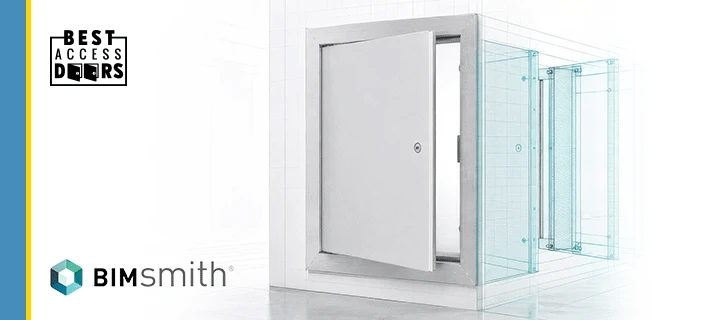
Architects, engineers, designers, specifiers, contractors, and BIM managers can now find updated Best Access Doors Revit files in our BIMsmith product library.
The library provides manufacturer-specific BIM content for access doors and panels, including product models, available sizes, technical information, and supporting documents. These resources can help building professionals research products and incorporate appropriate access solutions into their Revit projects.
What Are Best Access Doors Revit Files?
Best Access Doors Revit files are digital product models created for use in Autodesk Revit and Building Information Modeling workflows.
Unlike a simple product image, a Revit family can contain both a visual representation of an access product and structured information about that product. Depending on the individual file, this information may include:
- Product and model names
- Standard or custom size options
- Installation or wall-opening requirements
- Technical product information
- Manufacturer details
- Related documents and resources
- Door operation and clearance information
These files allow project teams to evaluate access solutions within the context of a building model rather than relying only on separate drawings or product pages.
Why Do Updated Revit Files Matter?
Outdated BIM content can create unnecessary work. Product options, available sizes, technical documents, and manufacturer information may change, while older files continue circulating between project teams.
Using updated, manufacturer-specific Revit files can help architects and specifiers:
- Reduce time spent creating product models manually
- Find relevant product information earlier
- Evaluate how an access door fits into a wall or ceiling assembly
- Review door operation and clearance requirements
- Maintain greater consistency across project models
- Make more informed product-selection decisions
- Connect specified products with the appropriate manufacturer
Updated BIM content does not replace review of project requirements, applicable building codes, or final technical documentation. It gives professionals a stronger and more convenient starting point for product research and specification.
What Is Available in the Best Access Doors BIMsmith Library?
The Best Access Doors library on BIMsmith provides downloadable Revit content for multiple access door and panel applications.
Available product types include:
- General-purpose access doors and panels
- Fire-rated access panels
- Drywall inlay access panels
- Concealed and hidden-flange access panels
- Stainless-steel access panels
- High-security access panels
- Large-opening access doors
- Draft-stop access doors
Current BIMsmith listings include products such as:
- BA-FRI: Fire-Rated Insulated Access Panel
- BA-FRI-DF: Fire-Rated Insulated Access Panel with Drywall Flange
- BA-TLDF: Concealed Touch-Latch Access Door with Mud-In Flange
- BA-HSS: High-Security Access Panel
- BA-UAP-SS:Stainless-Steel Universal Access Panel
- BA-UHF: Flush Access Panel with Hidden Flange
- BA-LO1D: Large-Opening, Single-Leaf Access Panel
- BA-DSD: Draft-Stop Access Door for Attic Applications
Users should review each BIMsmith product listing to confirm its available files, sizes, features, technical documentation, and suitability for their project.
How Can Architects and Specifiers Use the Revit Files?
Architects, designers, engineers, and BIM professionals can download the appropriate Revit family from BIMsmith and incorporate it into a compatible project model.
The content can help project teams:
- Research available access door and panel models.
- Compare products for different wall, ceiling, security, finish, or fire-rating requirements.
- Select an appropriate standard or custom size when supported by the model.
- Place the access product within the building model.
- Evaluate its location, operation, and required clearance.
- Review the associated product and manufacturer information.
- Coordinate the selected product with project schedules and documentation.
The exact functionality and available parameters will vary by product family.
Why Is Best Access Doors Using BIMsmith?
BIMsmith Market is a building product research platform where architects, designers, contractors, and engineers can discover and download manufacturer BIM content, including Revit families.
Publishing our updated files on BIMsmith makes Best Access Doors products easier to find within an established BIM research environment. It also creates a more direct connection between product research, BIM modeling, and specification.
Instead of searching across disconnected files or relying on an older model saved from a previous project, professionals can visit one manufacturer library and review the currently available Best Access Doors BIM resources.
Find the Right Access Solution for Your Project
Access doors provide service access to mechanical, electrical, plumbing, communications, and other concealed building systems. The right model depends on where the product will be installed and what the project requires.
Important considerations may include:
- Wall or ceiling construction
- Required opening size
- Fire-rating requirements
- Interior or exterior application
- Security requirements
- Moisture, air, or dust resistance
- Desired finish and visibility
- Door operation and clearance
- Applicable building codes and project specifications
The updated Best Access Doors Revit library helps project professionals begin this evaluation with manufacturer-specific BIM content.
Explore Updated Best Access Doors Revit Files
Do not let an outdated product file create extra work or introduce uncertainty into your next project.
Visit the Best Access Doors BIMsmith library to explore available access door Revit families, review product information, and download BIM content for your project.
Frequently Asked Questions
1. Where can I download Best Access Doors Revit files?
Best Access Doors Revit files are available through the Best Access Doors product library on BIMsmith. Users can browse the available products and open individual listings to review and download their BIM content.
2. Are Best Access Doors BIM files free to download?
BIMsmith describes BIMsmith Market as a free platform for building professionals to research products and download available BIM content. Users should review the individual product listing for its download options and account requirements.
3. What types of access doors have Revit files?
The Best Access Doors BIMsmith library includes Revit content for several product types, including general-purpose, fire-rated, drywall inlay, concealed, stainless-steel, high-security, large-opening, and draft-stop access panels.
4. Can the Revit files be used for product specifications?
The files can support product research, BIM modeling, coordination, and specification workflows. Project professionals should still verify the latest technical information, applicable codes, required ratings, and project-specific conditions before finalizing a specification.
5. What is the difference between BIM and Revit?
Building Information Modeling, or BIM, is a process for creating and managing information about a built asset. Autodesk Revit is one software platform commonly used to create and work with BIM models. A Revit family is a digital model that can represent a specific building component and its associated information.